Disable AI features in Samsung Galaxy S26 Ultra
I imagine some of these settings align for many of the AI-embedded Samsung products but this is the one I got recently.
This post contains all the things I had to do to reduce AI from my new phone. I am transparently saying "reduce" because I still see AI things pop up, and I haven't figured out how to turn them off yet.
Disable Gemini app
Most apps you can disable by long-pressing the app icon and selecting Disable. In this case, it only disables the Gemini app, not all Gemini features built into the device.
- Navigate to the Gemini app in your applications menu, but don't open it.
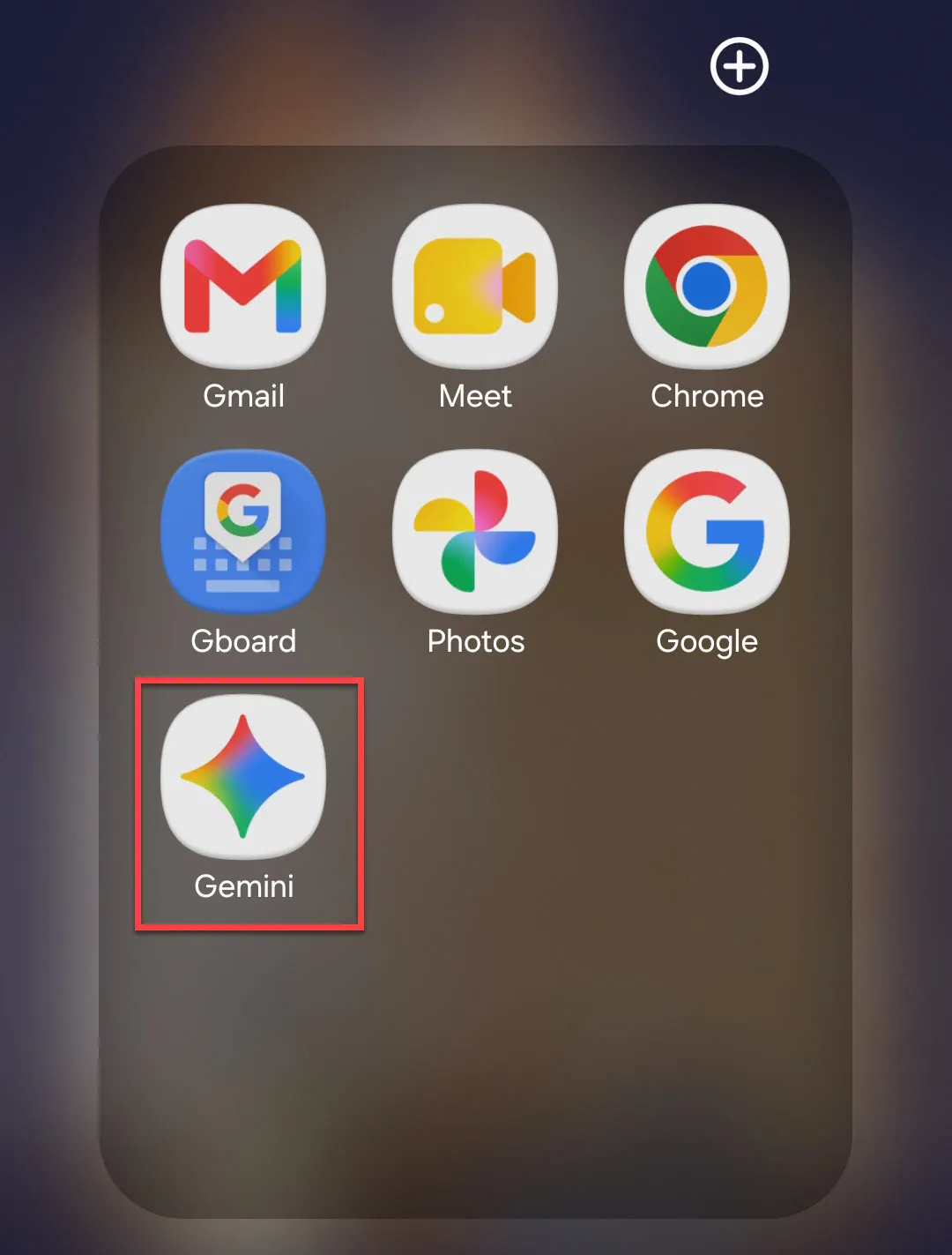
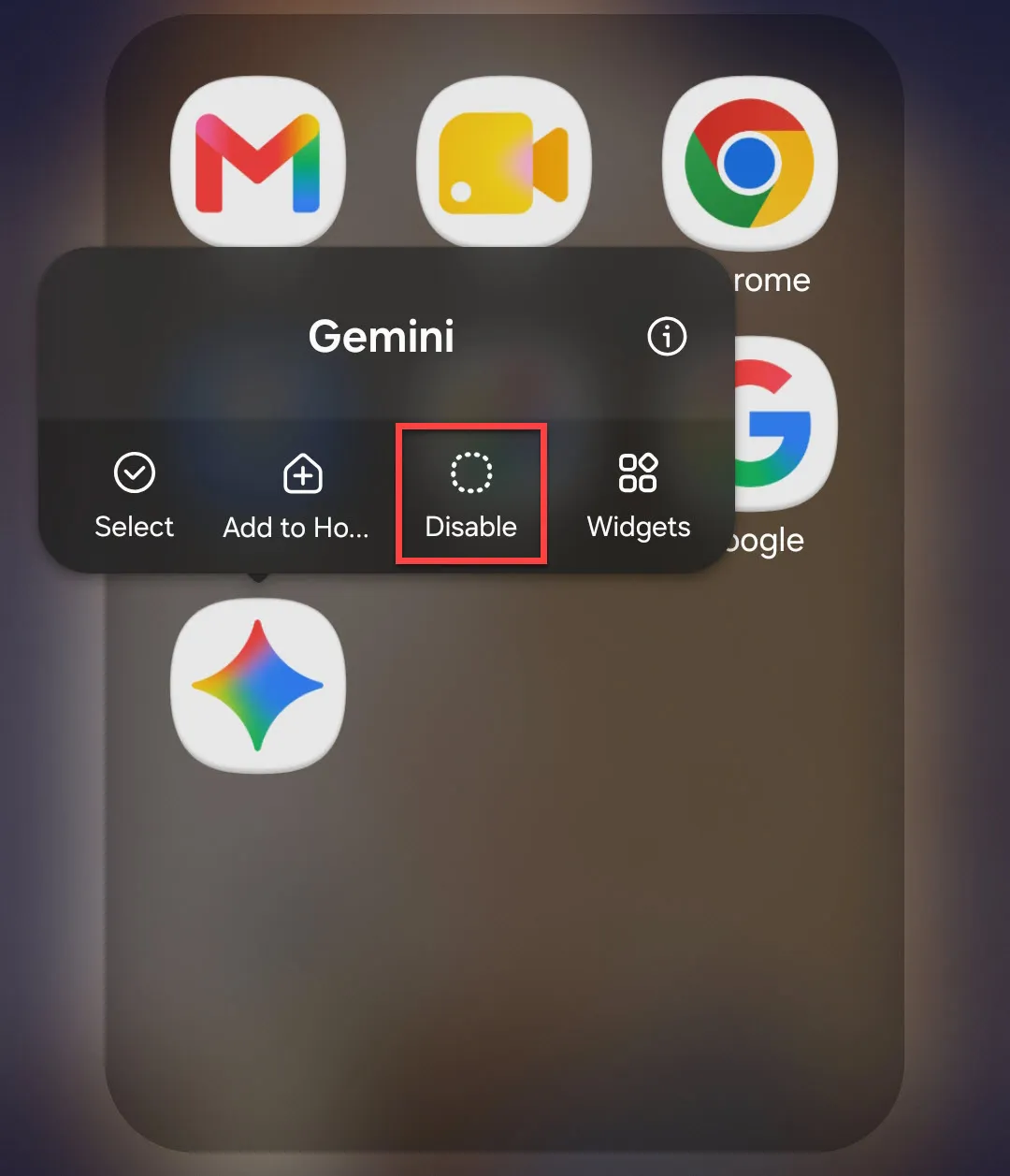
- Press and hold until a menu appears; select "Disable." (If you have the option to Uninstall, use that.)
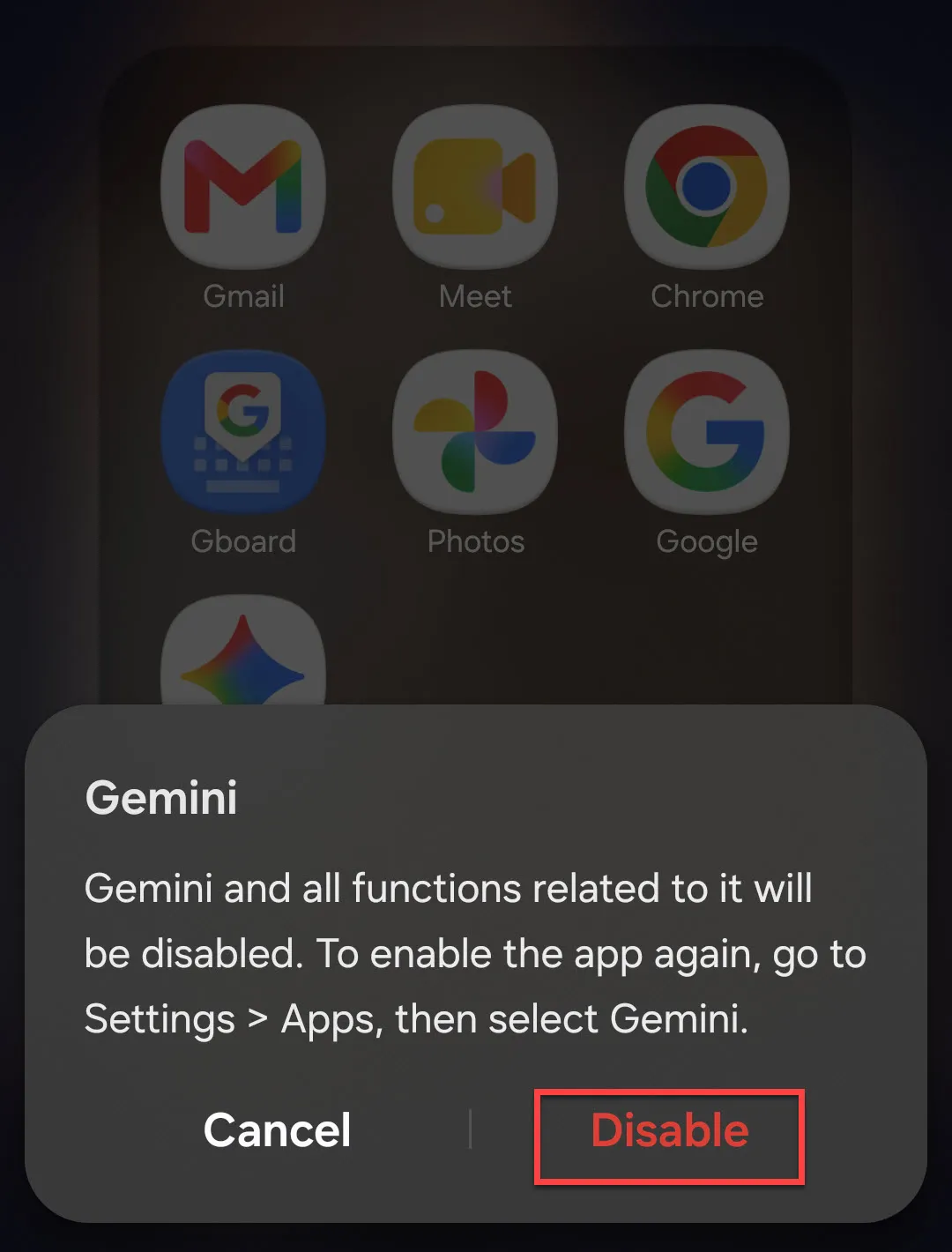
- A warning will pop up indicating that "Gemini and functions related to it will be disabled." Select "Disable" to continue.
Disable Gemini from the power button
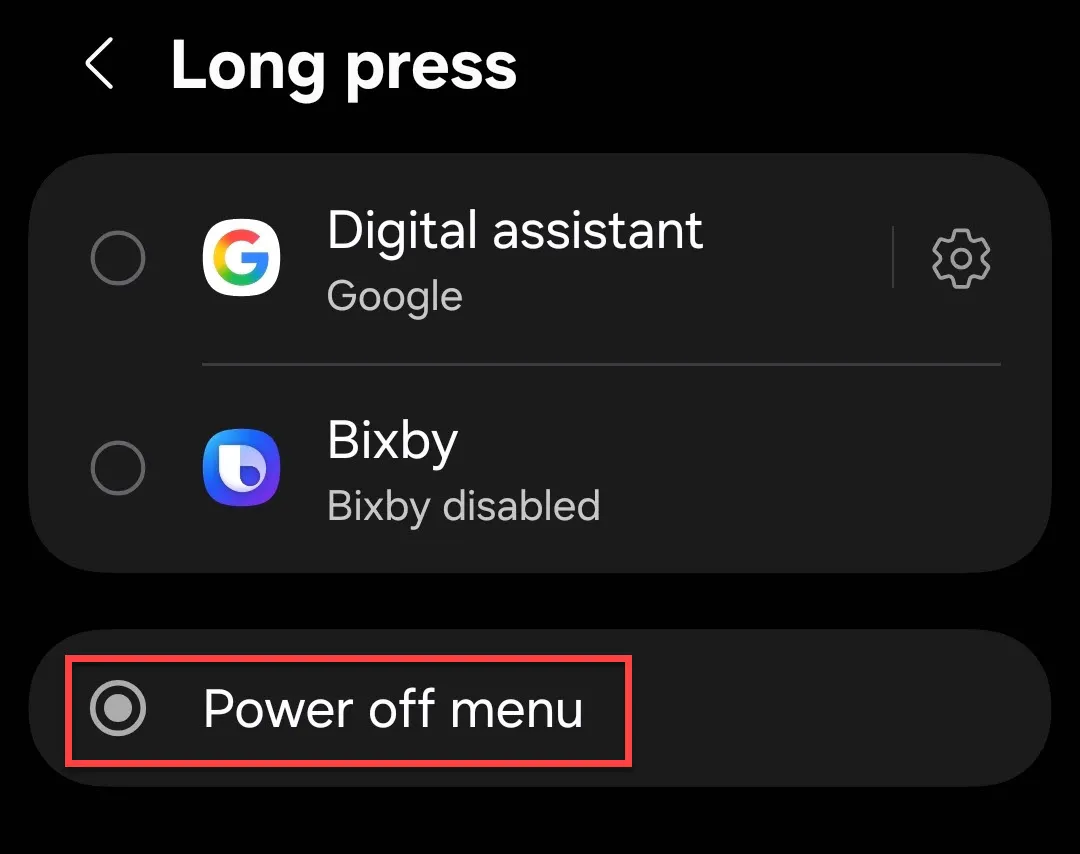
Gemini will still open when you press and hold the power button. In pre-Gemini phones, this was how you turned off the phone. You can update the button so it powers off instead.
- Navigate to Settings and search or scroll to "Side button."
- Update the Long press option to "Power off menu."
Disable Gemini settings
Most Gemini settings are default-on but you'll find some of them must be enabled manually. To turn Gemini off, go through one by one and turn all settings OFF.
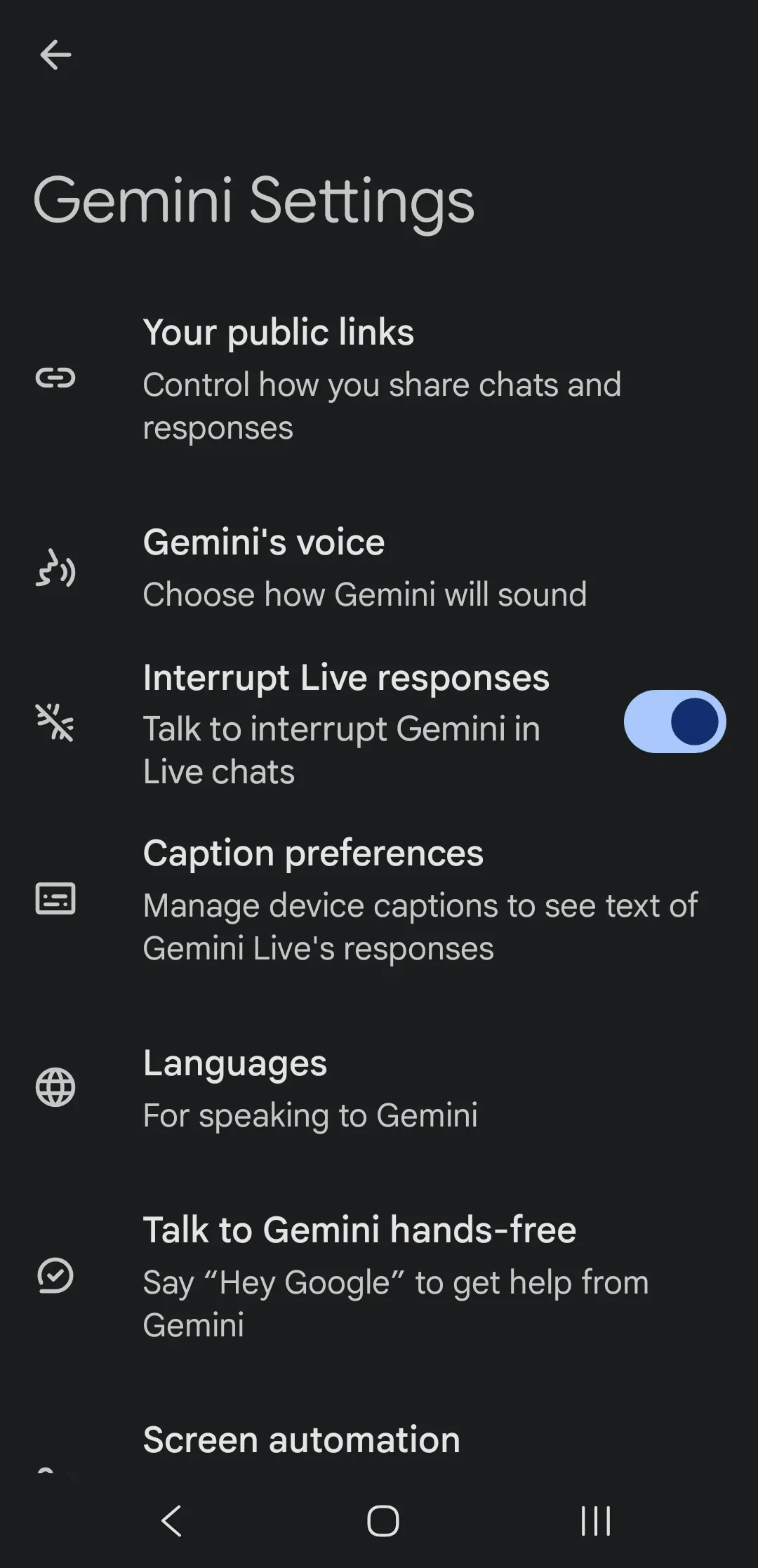
- Your public links: These are links you've shared from Gemini conversations. If you've never used Gemini, there aren't any.
- Gemini's voice: Settings related to how Gemini sounds.
- Interrupt Live responses: When Gemini is talking, you can interrupt to stop it.
- Caption preferences: Settings related to Gemini live response captions
- Languages: Settings related to the languages you use when speaking to Gemini
- Talk to Gemini hands-free:
- Screen automation: Screen automation apps can control other apps on your phone.
- Screen context: Allows Gemini to capture content on your screen.
- Gemini on lock screen: Gemini options available for your lock screen.
- Digital assistants from Google: Choose between Gemini and Google Assistant.
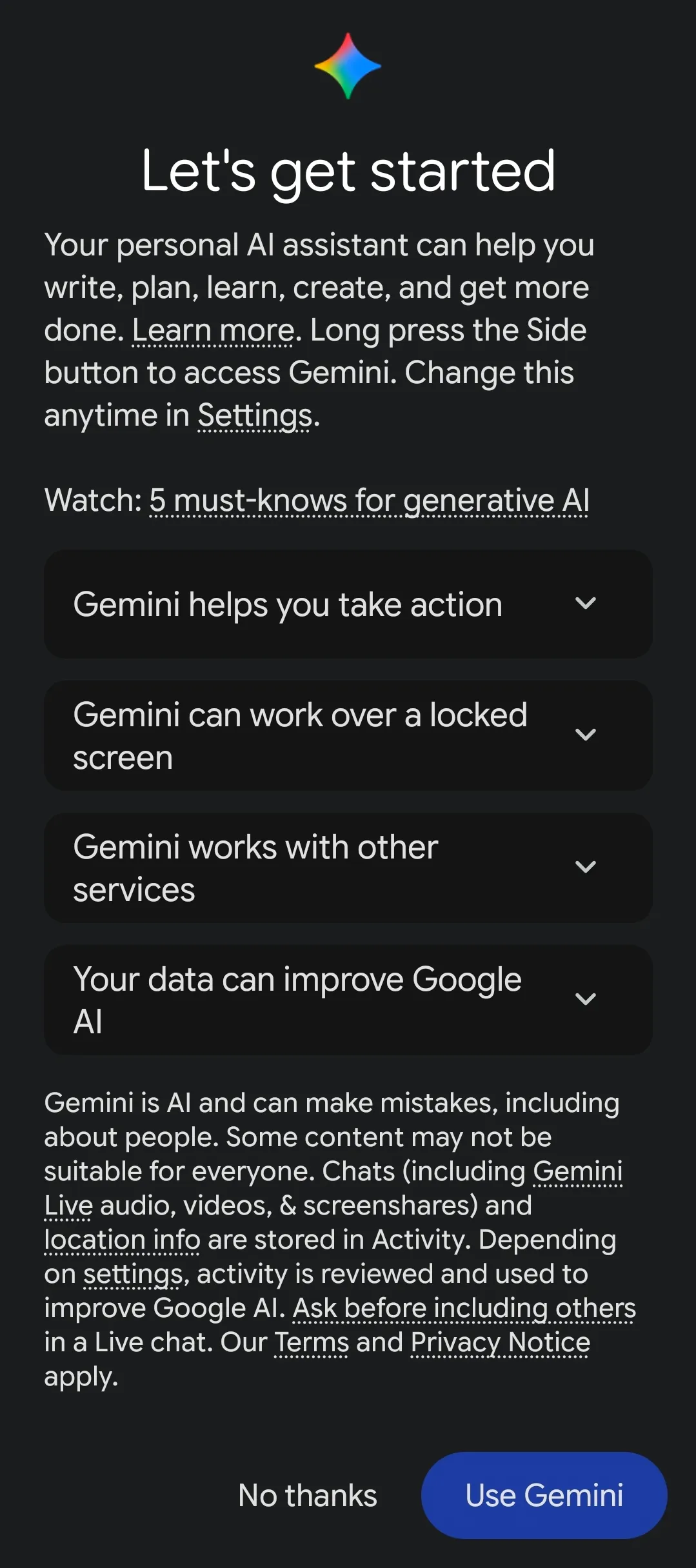
You'll know when you've successfully turned off all Gemini settings when you try to re-enter the Gemini Settings menu, and it gives you the option to "Use Gemini" or "No thanks."
Galaxy AI Settings
I found that only about half of the Galaxy AI settings were default-on. Here you can either sign out of Samsung, or you may go through each of the settings to understand what they do and toggle on/off.
If you scroll to the bottom and toggle ON Process data only on device, this will automatically disable all Galaxy AI tools that use advanced intelligence. You should still go through all of them to make sure they're off, though.
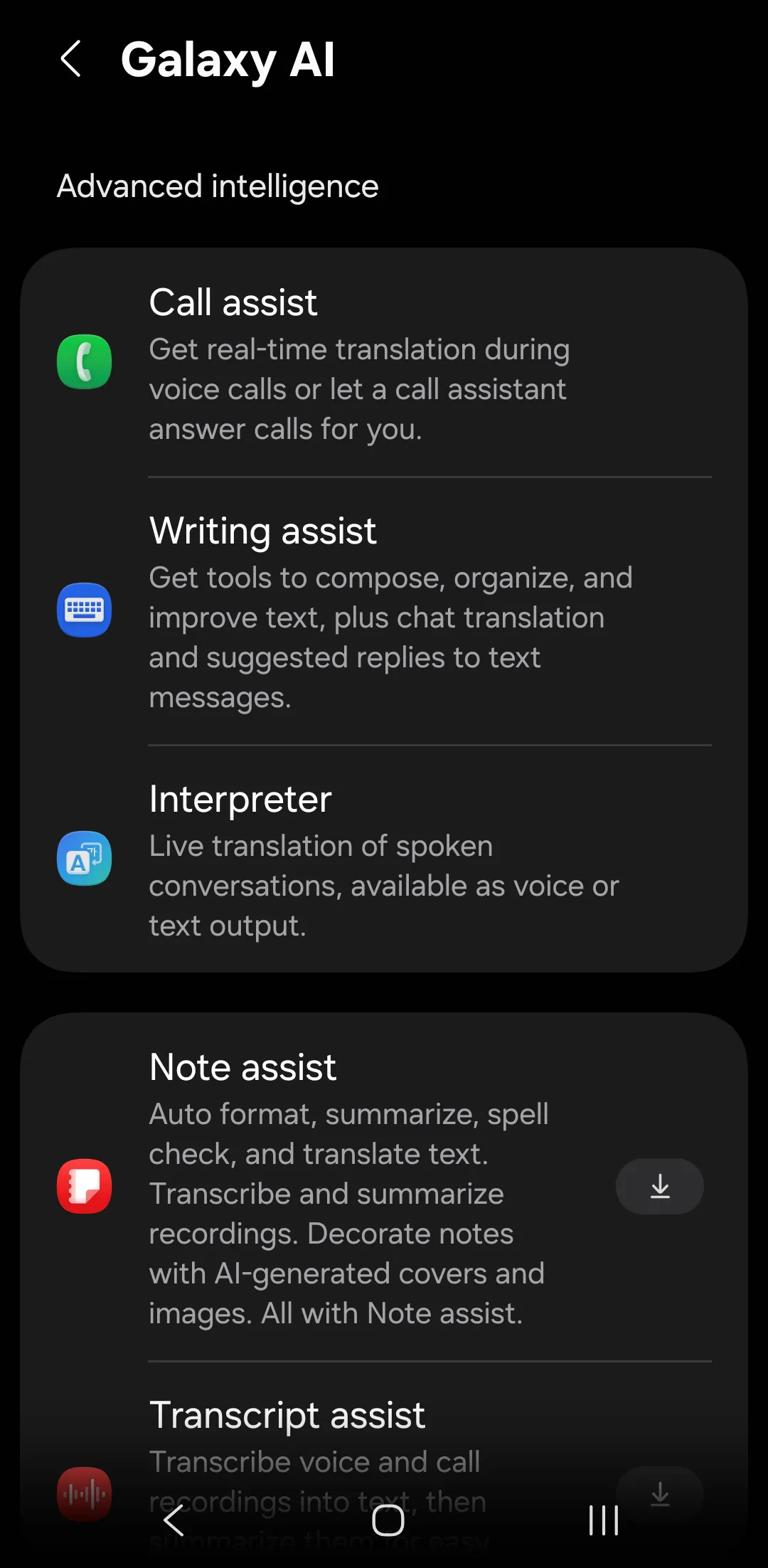
- Call assist: Real-time translation during calls, or let a call assistant answer for you.
- Writing assist: Tools that compose, organize, improve, or translate text.
- Interpreter: Live translation of spoken conversations.
- Note assist: Auto format, summarize, spell, check, and translate text. Image capabilities too.
- Transcript assist: Transcribe voice and call recordings into text and summarize them.
- Browsing assist: Summarize, translate, and listen to webpages, ask questions about the content.
- Photo assist: Manipulate images.
- Creative studio: AI-created art.
- Audio eraser: Remove noise from audio/video.
- Weather wallpaper: Dynamic wallpaper depending on the weather. This is set in your "Wallpaper and style" settings (just don't chose the dynamic ones).
- Now brief: Personalized daily briefing.
- Now nudge: Suggestions based on your usage.
- Notification highlights: Prioritized and summarized notifications.
- Health assist: Health data insights.
Turn off Personal Data Intelligence Settings
Samsung's Personal Data Intelligence is an AI-power feature on Galaxy smartphones that analyzes your usage patterns to provide personalized suggestions. This is what "Now" uses, so if you turn this off it'll automatically disable that AI feature.
- Navigate to the Security and privacy area of Settings.
- Select "More privacy settings."
- Toggle OFF "Personal data intelligence."
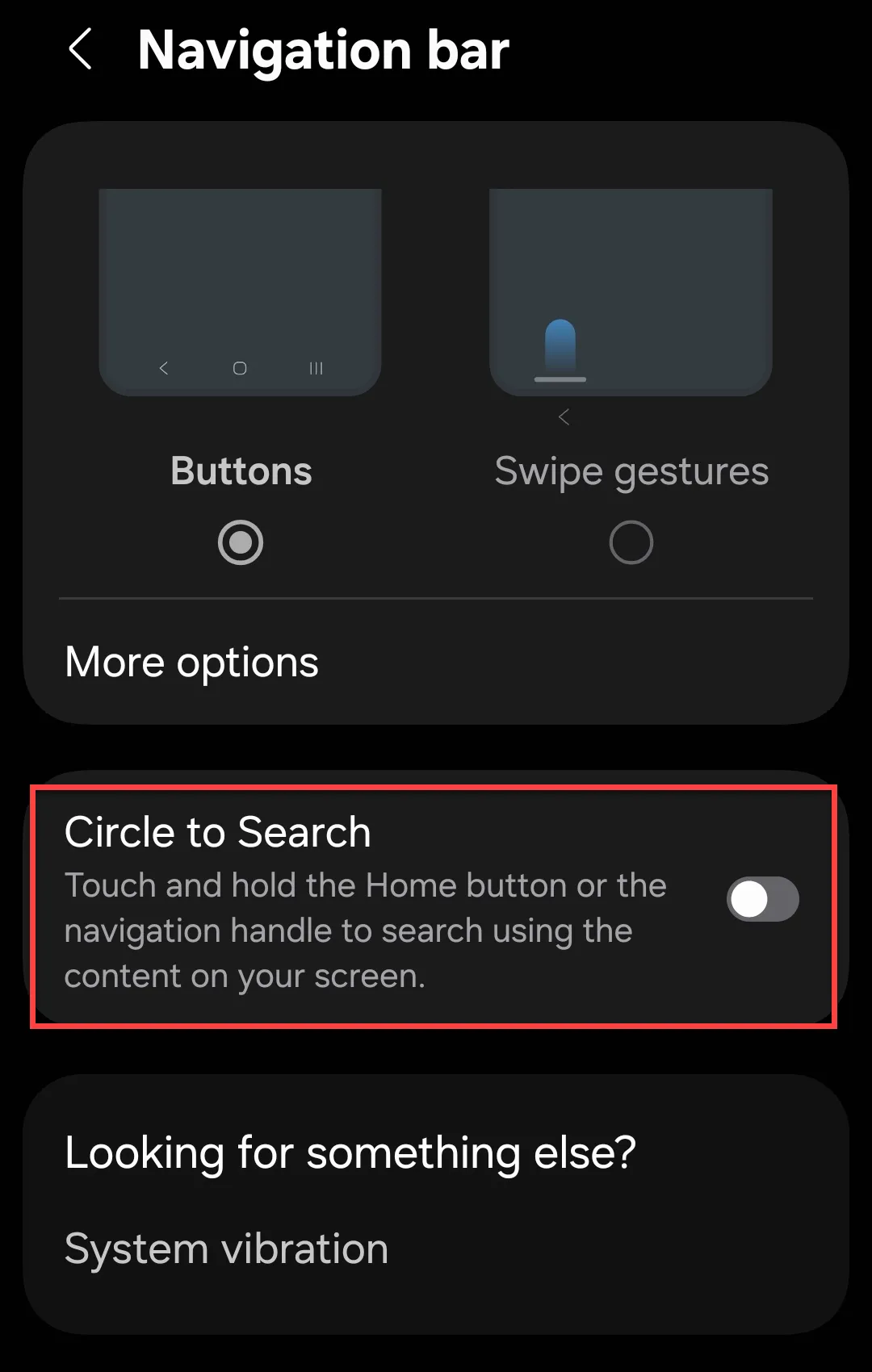
Disable Circle to Search
By default when you long press your Home button you'll get the option to search what's on the page, resulting in a best-guess AI search based on a screencap. To disable it:
- Navigate to the Navigation bar area of the Display settings.
- Toggle OFF "Circle to Search."
Disable Google Assistant
Although it's provided as the alternative to Bixby and Gemini, Google Assistant also uses AI. It's likely this will be replaced by full AI functionality down the road anyway.
To disable from your account entirely:
- Navigate to the Google app on your phone.
- Select your Profile.
- Go to Settings and select "Google Assistant."
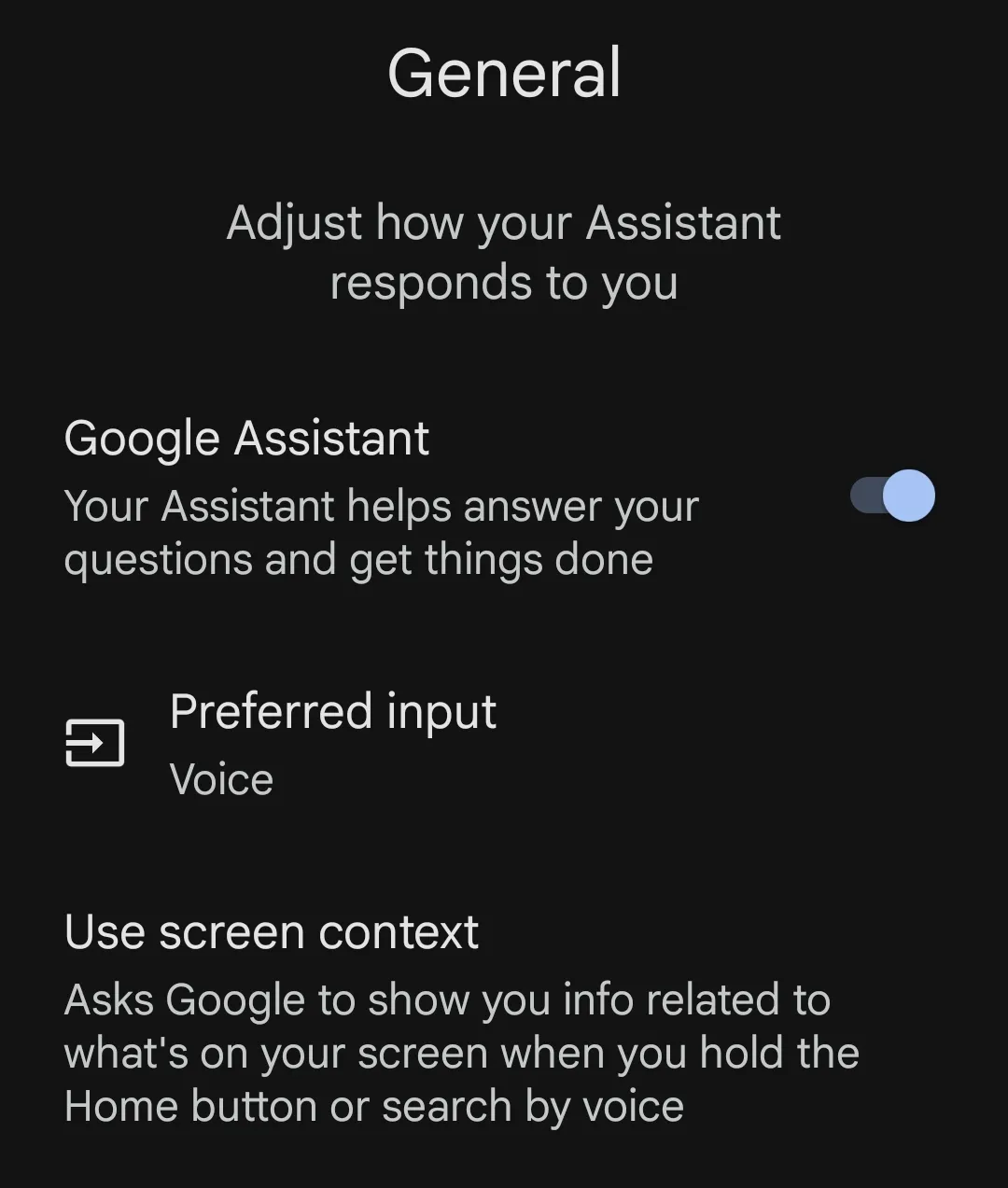
- Go to General to toggle Google Assistant OFF.