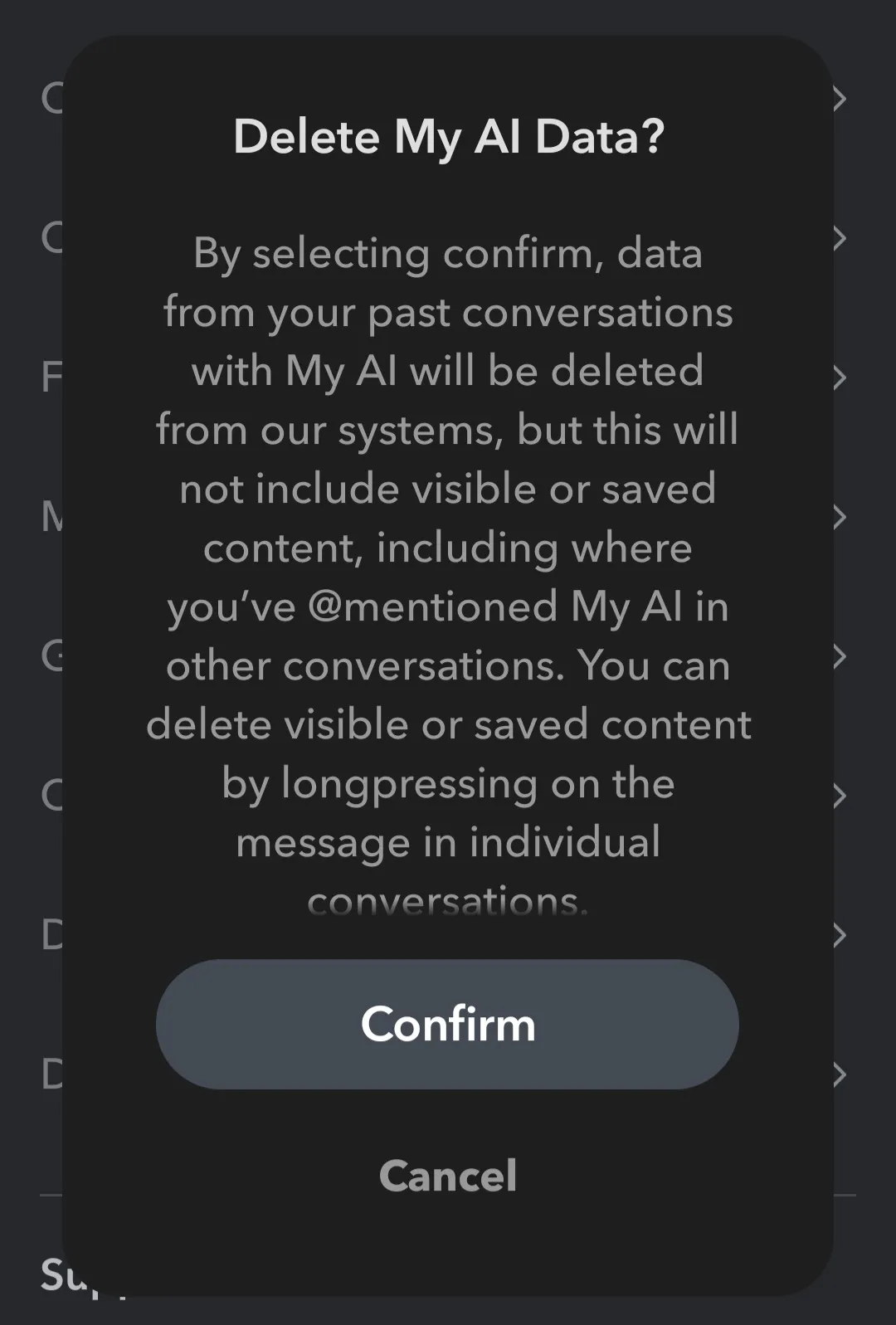
AI Data Settings: Snapchat
Where to find your AI data settings in Snapchat:
- Navigate to your profile, then select Settings (gear icon).

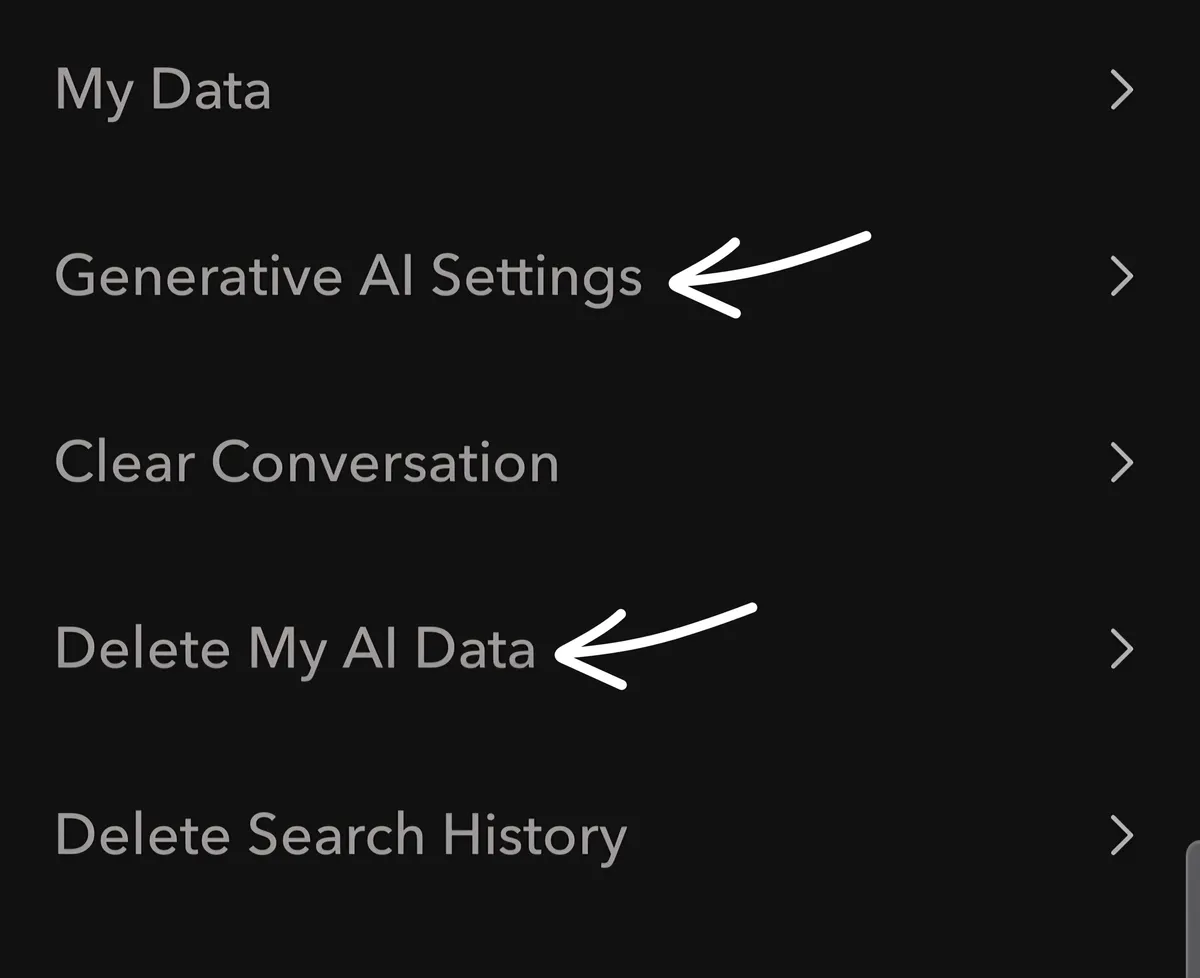
- Under "Privacy Controls," find Generative AI Settings and Delete My AI Data.
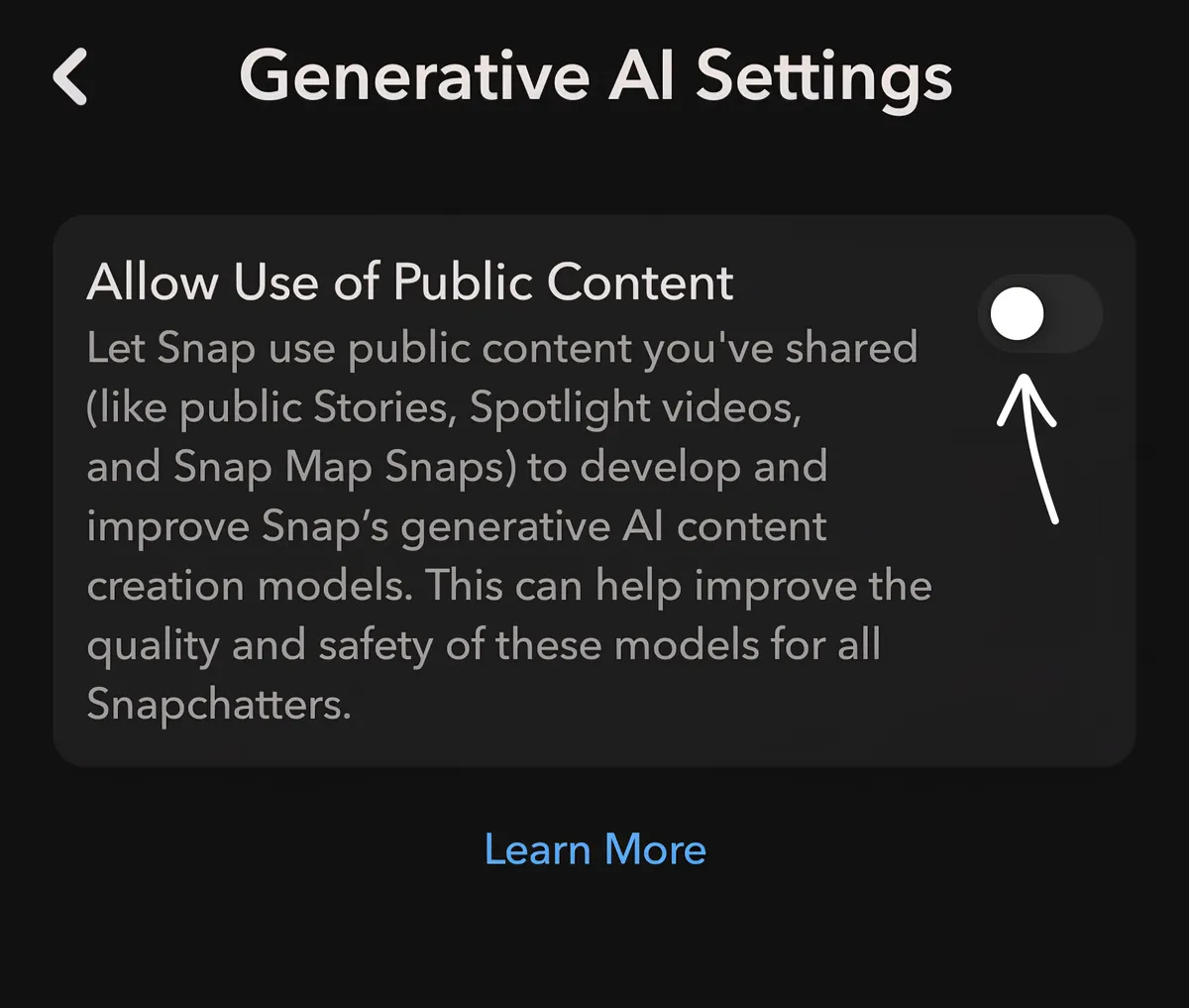
- Under Generative AI Settings, toggle your preference. Select "Learn More" to go to the Generative AI on Snapchat article.
- Under Delete My AI Data, select "Confirm" to remove data from your past conversations with the Snapchat My AI feature.