AI Data Settings: Pinterest
Where to find your AI data settings in Pinterest:
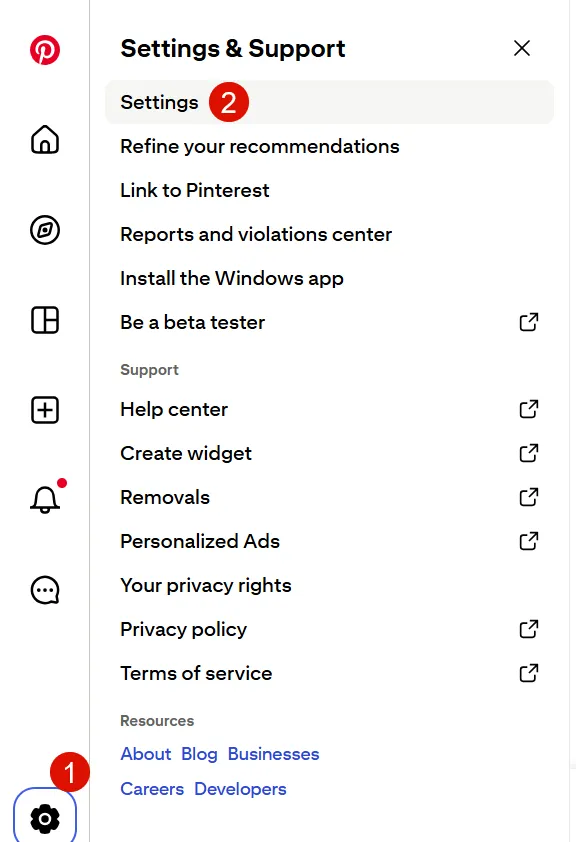
- Select the Gear icon
- Visit Settings
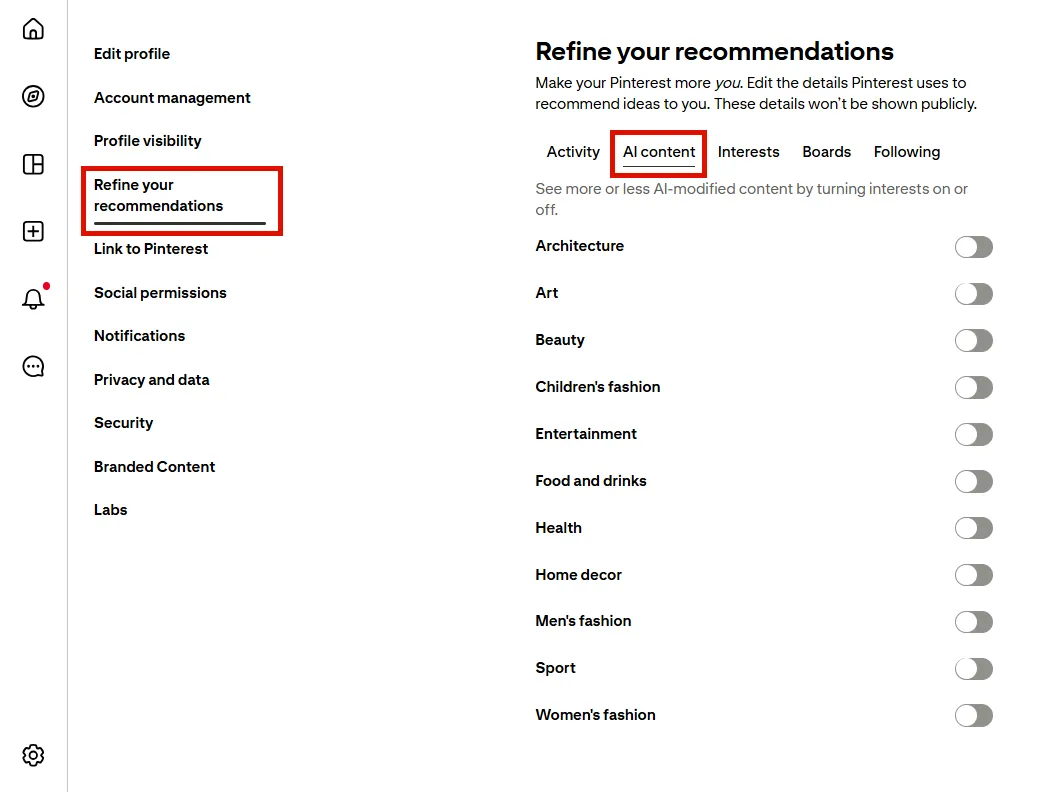
- Go to Refine your recommendations > AI content to toggle settings related to how much AI-generated content you see.
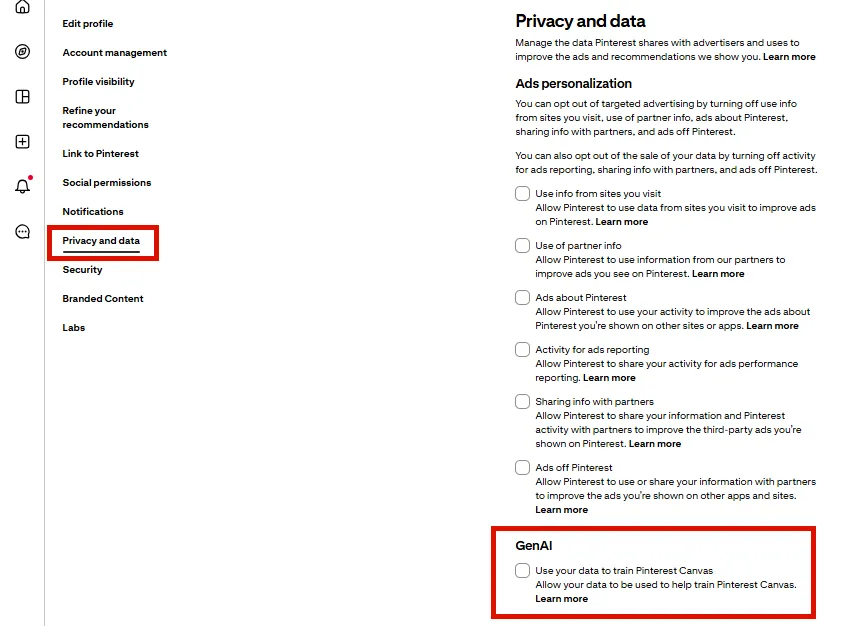
- Go to Privacy and Data and scroll to the GenAI section to decide how Pinterest uses your data to train AI. Select "Learn more" to go to the Manage GenAI Settings article.
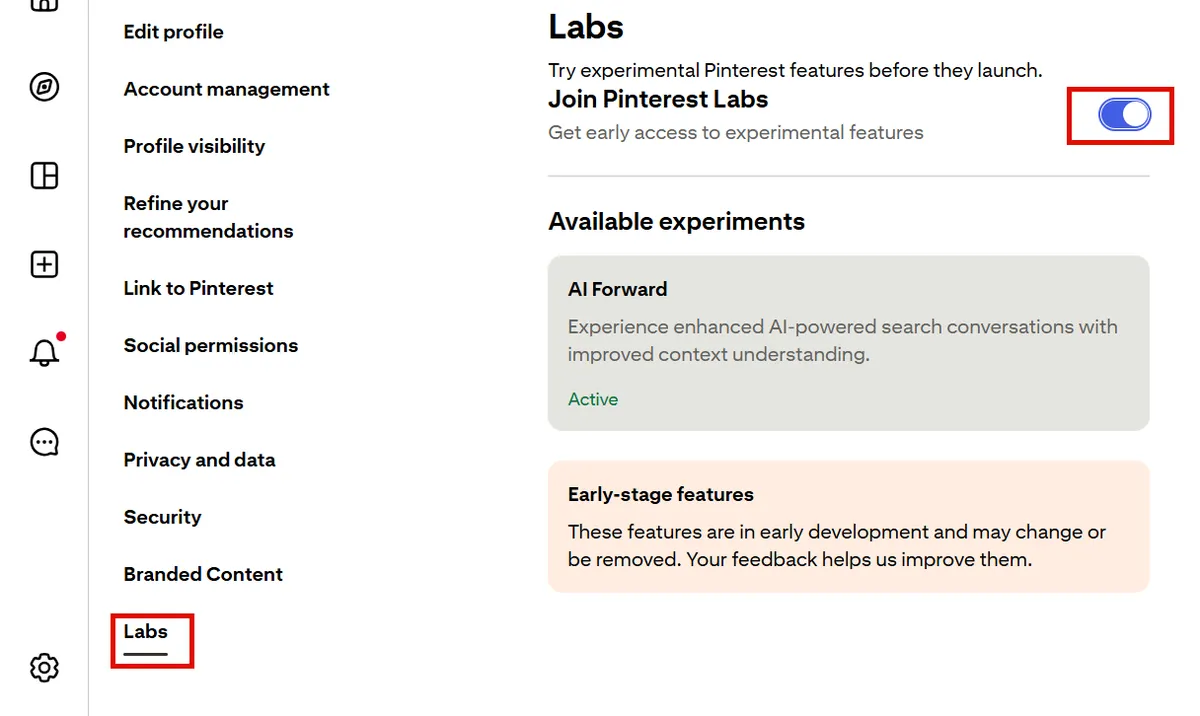
- Go to Labs and toggle OFF to opt out of experimental features that involve AI.